Passkeys vs Passwords: Are Passwords Finally Becoming Obsolete in 2026?
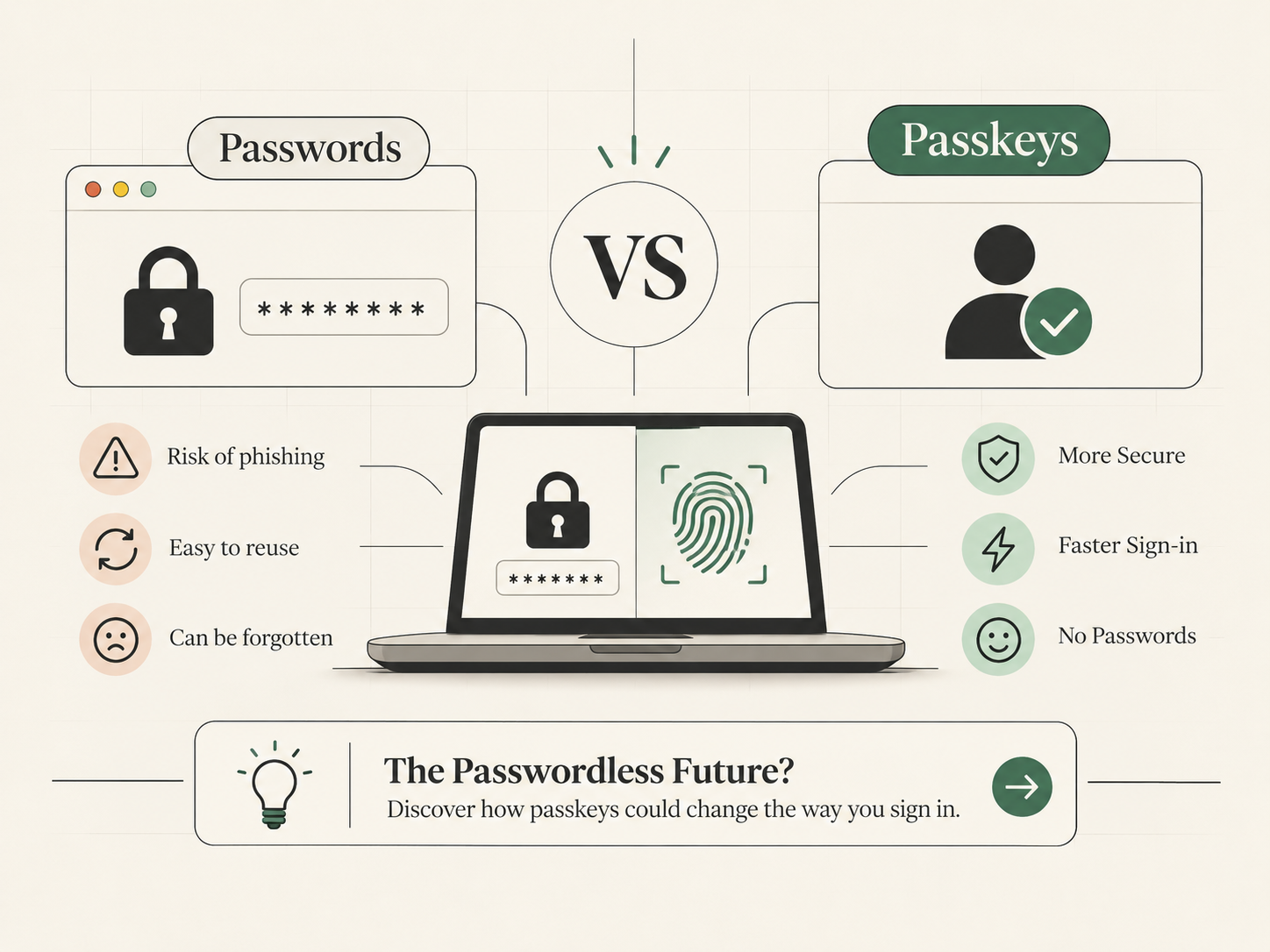
Category: Explainers
Reading time: 8 minutes
Last updated: 19 November 2026
Author: TechTech.fun Editorial Desk
Introduction: The end of passwords?
Think about how many passwords you use every day.
Your email, Instagram, banking apps, shopping accounts, social media and even your laptop. Almost everything requires a password.
And despite years of security improvements, passwords still create problems. People reuse them, forget them, write them down or accidentally enter them on fraudulent websites.
But what if you could sign in without typing a password at all?
That’s exactly what passkeys promise.
Major technology companies, including Google, Apple and Microsoft, are supporting this new authentication technology. Instead of remembering a complicated combination of letters, numbers and symbols, you can simply use your fingerprint, face recognition or device PIN to sign in.
But are passkeys actually safer? Are they convenient? And should you stop using passwords in 2026?
Let’s find out.
1. What exactly is a passkey?
A passkey is a digital sign-in credential that allows you to access an account without entering a traditional password.
It uses something called public-key cryptography.
Don’t worry about the technical terminology. Here’s a simple way to understand it.
When you create a passkey for a website, two mathematically related keys are generated:
- Public key: Shared with the website to verify your identity.
- Private key: Kept securely on your device or within your chosen passkey manager.
When you attempt to sign in, the website sends a challenge. Your device uses the private key to respond to that challenge, proving that you have the correct credential.
You then approve the sign-in using your fingerprint, face recognition or device PIN.
The website never receives your private key.
For a deeper technical explanation, read the FIDO Alliance’s official passkey guide.
How does it work in real life?
Imagine you want to log in to your Google account.
- Open Google’s sign-in page.
- Select the passkey sign-in option.
- Your phone or computer asks you to verify your identity.
- Use your fingerprint, face recognition or screen-lock PIN.
- You’re signed in.
No password typing. No memorising complicated combinations.
2. Passkeys vs passwords: What’s the difference?
Let’s compare the two technologies across the things that matter to everyday users.
| Category | Traditional Passwords | Passkeys |
|---|---|---|
| Sign-in method | Type a password | Fingerprint, face or PIN |
| Memorisation | Required unless stored | Not required |
| Phishing protection | Vulnerable to phishing | Designed to resist phishing |
| Password reuse | A common risk | No password to reuse |
| Data transmitted | Password sent over a protected connection | Cryptographic proof |
| Cross-device use | Depends on password manager | Depends on passkey provider and setup |
| Recovery | Reset through account recovery | Depends on device, sync and account recovery |
| Convenience | Can be slower | Usually faster |
The biggest difference: A password can be tricked out of you. A properly implemented passkey is cryptographically tied to the legitimate website, making it much harder to use on a fraudulent lookalike website.
The US National Institute of Standards and Technology (NIST) explicitly distinguishes phishing-resistant authentication from conventional passwords.
3. Why are technology companies moving towards passkeys?
The problem with passwords isn’t simply that people choose weak ones. The entire system has limitations.
Consider three common situations.
Situation 1: Password reuse
You use the same password for five websites. One website suffers a data breach. Criminals may try those stolen credentials on your other accounts.
Situation 2: Fake login pages
You receive an email that looks like it’s from your bank. You click a link and enter your password on a fake website.
Situation 3: Password fatigue
You have dozens of accounts and can’t remember all your passwords. You end up using predictable variations or relying on insecure notes.
Passkeys address these problems by replacing manually entered passwords with cryptographic credentials.
According to the FIDO Alliance, passkeys are designed to be phishing-resistant and eliminate shared password secrets.
4. Are passkeys actually safer?
In most situations, yes. But they are not magic.
Passkeys provide an important security advantage: they are tied to the website or app for which they were created.
This means a passkey created for a legitimate website won’t simply authenticate you on a fraudulent website with a similar-looking address.
There are also some important details:
- Your fingerprint or face data is processed locally by your device’s authentication system.
- The website receives cryptographic verification rather than your biometric information.
- A passkey cannot be guessed in the same way as a weak password.
- Passkeys reduce the risk of credential theft through traditional phishing.
However, your device, cloud account, recovery methods and account security still matter.
For example, if someone gains access to your unlocked phone, they may be able to access accounts protected by its passkeys.
Google specifically recommends creating passkeys only on devices you personally own and use.
Read Google’s official passkey security guidance.
5. What happens if you lose your phone?
This is probably the biggest question people have about passkeys.
Imagine you created passkeys for your Google, Instagram and other accounts. Suddenly, your phone is lost or damaged.
Are you locked out forever?
Not necessarily.
There are two common types of passkeys:
Synced passkeys
These can be synchronised across your approved devices through a passkey provider.
For example:
- Google Password Manager can sync passkeys through your Google Account.
- Apple’s iCloud Keychain can sync passkeys across supported Apple devices.
Device-bound passkeys
These are tied to a particular device or hardware security key rather than being synchronised across devices.
They can provide stronger control over where a credential is stored, but losing the device or key can make recovery more complicated.
This is why setting up account recovery and maintaining access to your provider account is important.
Useful official guides:
6. Which companies support passkeys?
Passkeys are no longer limited to one operating system or brand.
Here are some major platforms offering passkey functionality.
| Company | Passkey implementation |
|---|---|
| Google Accounts and Google Password Manager | |
| Apple | Apple Accounts and iCloud Keychain |
| Microsoft | Microsoft accounts and Windows sign-in |
| Chrome | Passkey creation and management |
| Other websites | Support varies by website and application |
Remember that supporting passkeys doesn’t mean every account or service offers passwordless sign-in. Availability and options vary.
7. Should you switch to passkeys in 2026?
My recommendation is to start using passkeys wherever a trusted service supports them.
However, don’t rush to delete every existing password.
A sensible transition looks like this:
- Secure your primary email account first.
- Create a passkey on a personal, trusted device.
- Check where that passkey is stored.
- Set up and test your account recovery options.
- Add passkeys to other important accounts.
- Keep your existing recovery methods until you understand how the service handles account recovery.
You can begin with your Google Account by visiting:
One important precaution: Never create a passkey on a shared or public computer just because a website suggests it. Make sure you understand which device or password manager will store it.
8. The final verdict: Are passwords becoming obsolete?
Passkeys represent a meaningful improvement in how we protect online accounts.
They are easier to use, reduce password-related risks and provide much stronger protection against traditional phishing attacks.
But passwords aren’t disappearing overnight. Some websites still don’t support passkeys, and account recovery systems continue to play an important role.
For most everyday users, the smartest approach is to adopt passkeys gradually while maintaining secure recovery options.
The future of logging in may not involve remembering anything at all.
Frequently Asked Questions (FAQs)
Q1. Can passkeys be hacked?
Passkeys are highly resistant to phishing and credential theft, but no authentication system is completely immune to attacks. Device compromise, account takeover and weak recovery processes can still create risks.
Q2. Are passkeys better than two-factor authentication (2FA)?
Passkeys can provide phishing-resistant authentication and, when configured with user verification, combine device possession with a local PIN or biometric check. They can replace some traditional multi-factor authentication flows, but the security requirements of each service matter.
Q3. Do passkeys cost money?
No. Creating and using standard passkeys through supported devices and services is generally free. Some optional hardware security keys cost money.
Q4. Can I use a passkey on Android and Windows?
Yes. Cross-platform use is supported, although the experience depends on the browser, operating system and passkey provider.
Q5. Should I delete my passwords after creating passkeys?
No. Keep existing recovery options until you have confirmed that your accounts can be recovered and that you can access your passkeys on your other devices.
Sources & Further Reading
For readers who want to explore the technology in more detail:
- FIDO Alliance – Passkeys Explained
- NIST – Digital Identity Guidelines
- Google – Sign in with a Passkey
- Apple – About the Security of Passkeys
- Microsoft – Create and Save a Passkey
Editorial note: Product capabilities and supported sign-in methods can change. Check the official documentation for the latest availability.
TechTech.fun — Where You Learn Technology Better.